Sorted
Every sheet lands in its discipline.
Upload the whole set as one file. PLAT Intelligence splits it into Structural, Mechanical, Plumbing and every other discipline on its own.
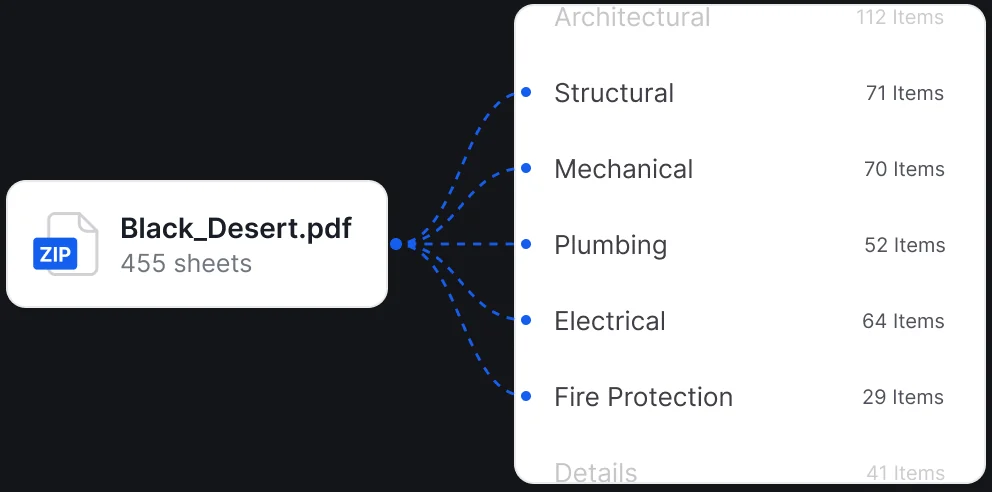
 No folders to build, no sheets to drag
World of Concrete 2027 / Booth N1373 World of Concrete 2027 / Las Vegas / Booth N1373
Booth visit Jan 19-21, 2027

PLAT Intelligence is built into the platform. It sorts every sheet, answers questions from your specs and shows you exactly where it found each answer.
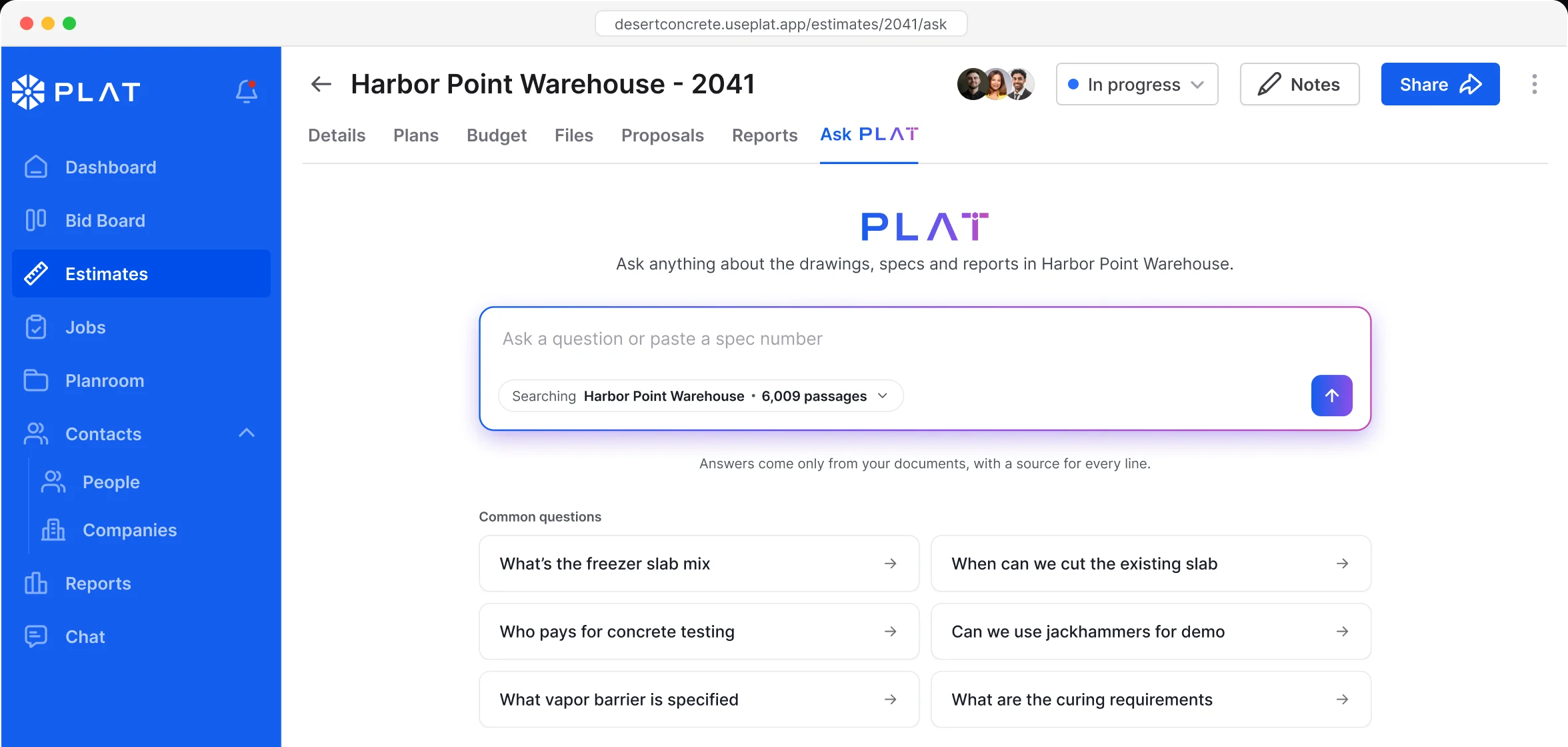
No guessing and no internet answers. PLAT Intelligence only works from the plans, specs and reports on your job.
Drawings, specs and reports, searched in seconds. Ask from inside any estimate and get an answer you can check.
Type it the way you’d ask your PM, or paste a spec number.
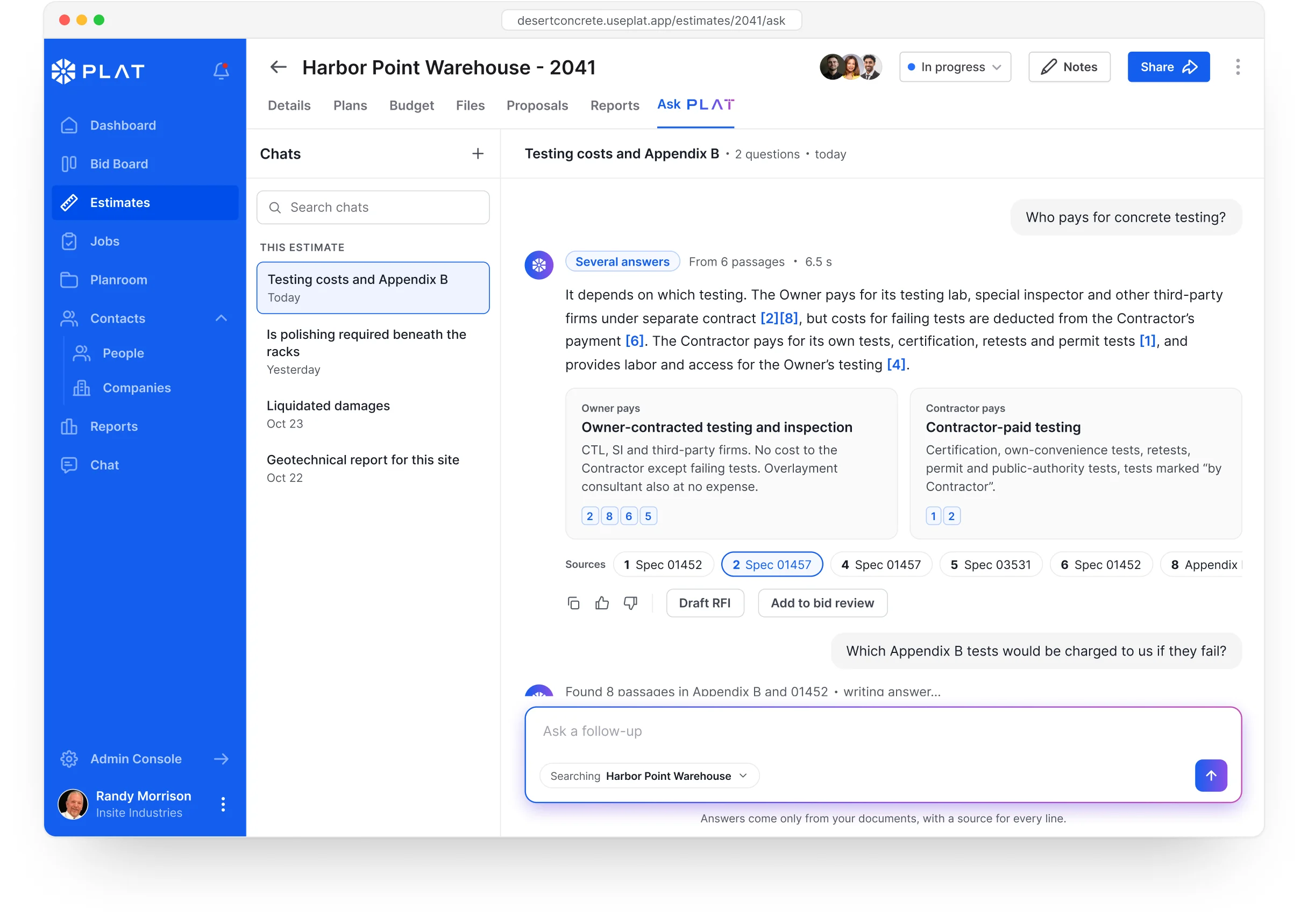
Numbered citations link each statement to the spec section or sheet it came from.
Draft an RFI or add it to bid review, right from the chat.
In Planroom
sorts it.Bulk upload every PDF at once. PLAT Intelligence reads each sheet, puts it in the right discipline and turns it the right way up, so the set is ready when it lands.
Sorted Upload the whole set as one file. PLAT Intelligence splits it into Structural, Mechanical, Plumbing and every other discipline on its own.
No folders to build, no sheets to drag
Auto-rotated PLAT Intelligence turns every sheet upright as it lands, so the set reads straight from the first page.
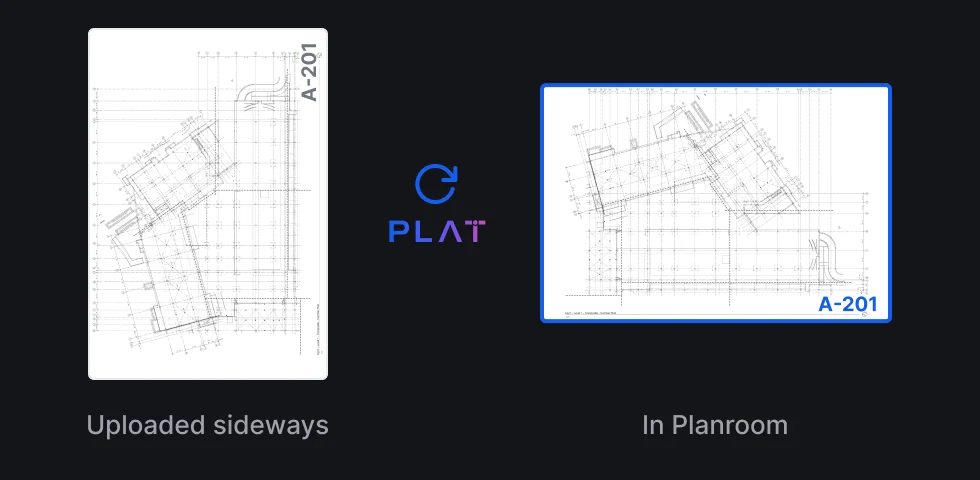
14 sheets rotated in this set
In Takeoff
PLAT Intelligence checks your takeoff as you work, flags what looks off and learns how your team measures. It doesn’t guess the takeoff for you to double-check.
Peer review Missed areas, odd quantities and conditions that don’t match the plans get flagged for you to confirm or dismiss.
VISUAL PENDING
Takeoff with PLAT Intelligence flags: a missed slab area outlined, a quantity marked “check this”, Confirm / Dismiss on each
You make every call
Learns from you PLAT Intelligence picks up how your team measures and names conditions, so its checks fit the way your shop works.
VISUAL PENDING
PLAT Intelligence review panel: “Based on your last 12 bids” with suggested checks for footings and slab edges
Learns from how your team measures
Everywhere you work
No new app and no copy and paste. PLAT Intelligence sits inside the tools you already use.
A dedicated Ask tab next to Details, Budget and Plans.
One click from anywhere in PLAT.
Search past jobs, not just the bid in front of you.
Ask without leaving the sheet you’re measuring.