World of Concrete 2027 / Booth N1373

Booth visit

Bid Board

Every bid invite.
One place.

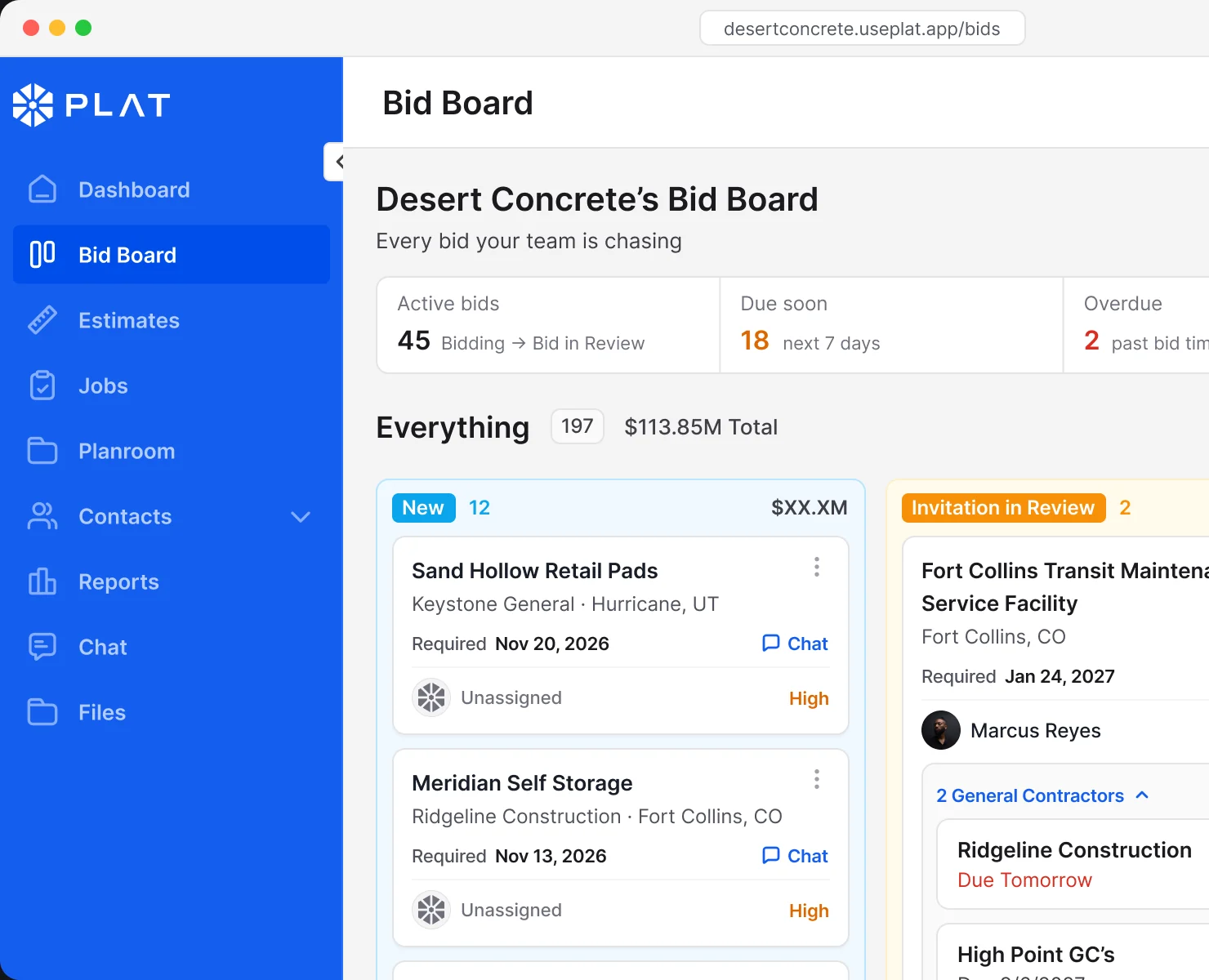
Every invite, due date and GC on one board, from the first invite to the win.

PLAT Bid Board for Desert Concrete: pipeline stats above New and Invitation in Review columns of bid cards

How it works

The board is the process.

Custom stages, left to right. Move the card when the bid moves, and the board keeps the count, the value and the due dates.

New

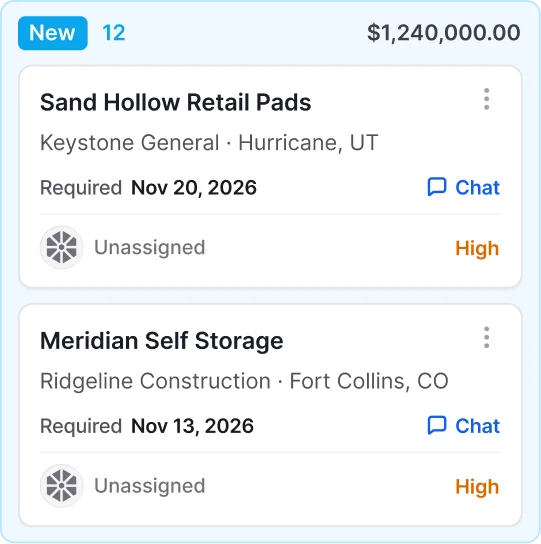
An invite lands on the board.

New column with two unassigned bids, Sand Hollow Retail Pads and Meridian Self Storage

Invitation in Review

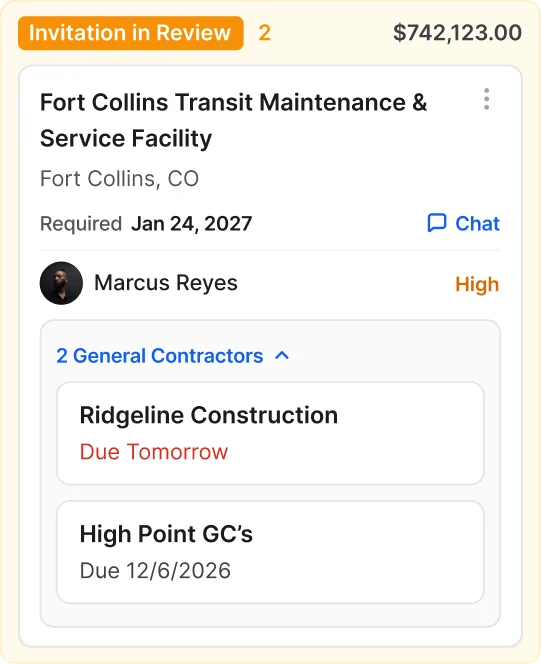
Decide if it’s worth chasing.

Invitation in Review column with a bid sent by two general contractors, each with its own due date

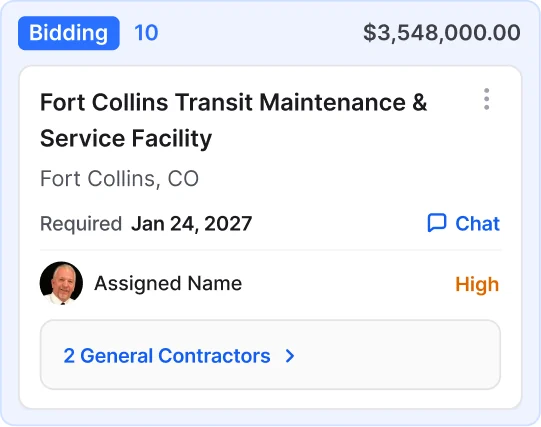
Bidding

Plans, takeoff and estimate.

Bidding column with a bid card showing two general contractors

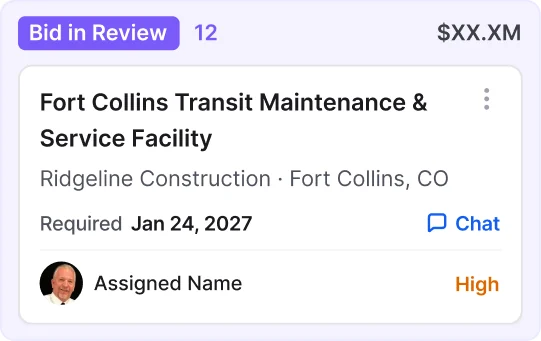
Bid in Review

The number is out with the GC.

Bid in Review column with one assigned bid

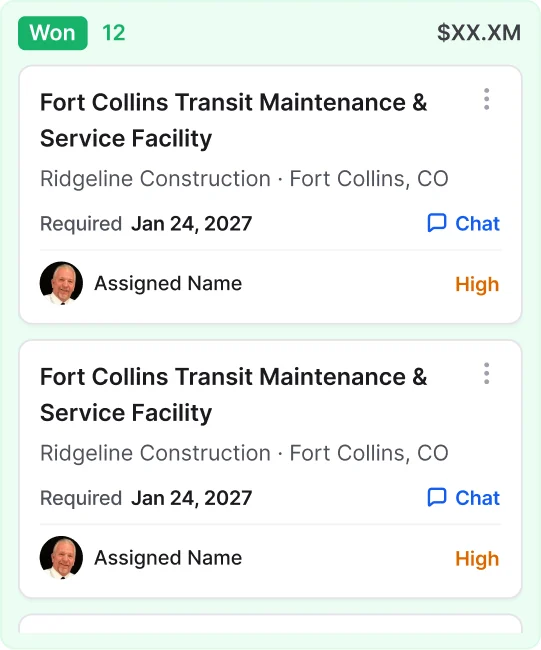
Won, Lost or Declined

Won bids become jobs.

Won column with assigned bids
PLAT AI Inbox

Never miss an invitation with PLAT Intelligence in your inbox.

Every ITB from every GC, pulled out of your inbox and consolidated automatically the moment it arrives.

  • Connects to any email platform
  • Pulls invites in automatically
  • Surfaces deadlines and RFI alerts
  • Flags addenda before you submit
Replace your spreadsheet

Replace your bid tracking spreadsheets.

One bid management dashboard your whole estimating team can see. No more forwarded emails, duplicate ITB’s, or missed handoffs between estimators.

  • Deduplicates invites across GC’s automatically
  • See who on the team is working which bid
  • Shared view across all estimators
  • Replaces the spreadsheet

A deeper look

Small details.
Fewer missed bids.

Everything you need to read a bid at a glance, right on the card.

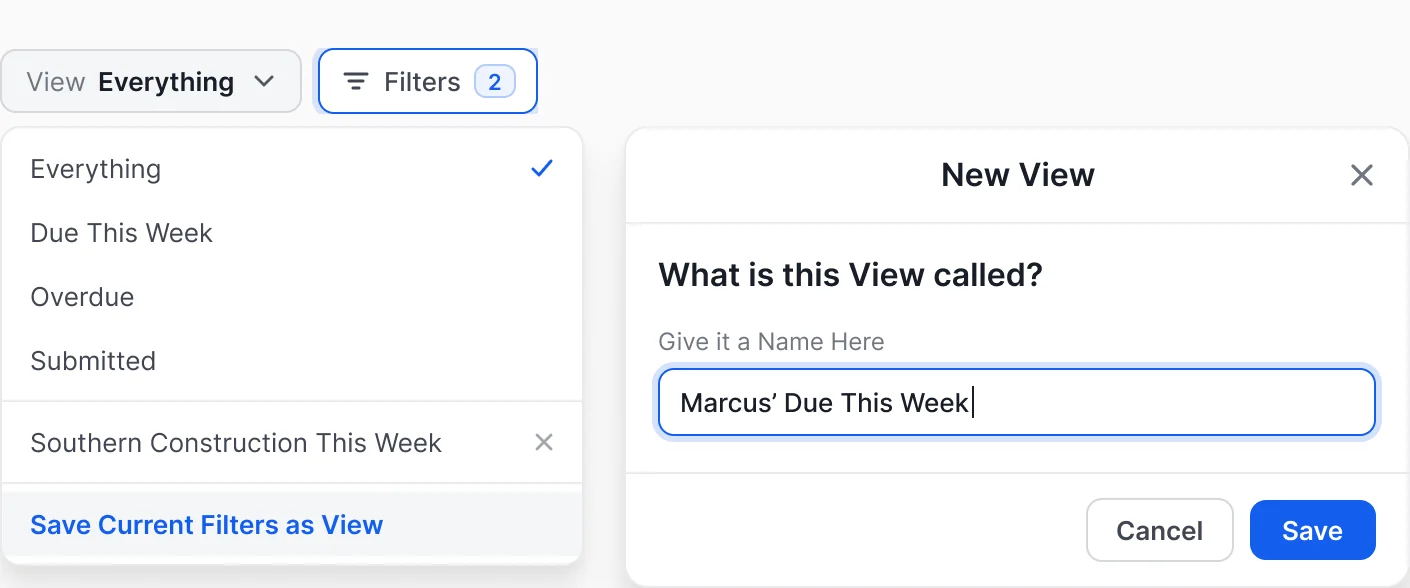
Your filters, saved as a view.

Set your filters, save them as a view, and give it a name. It lives in your View menu, one click away.

View menu with saved views next to the New View dialog naming a view “Marcus’ Due This Week”

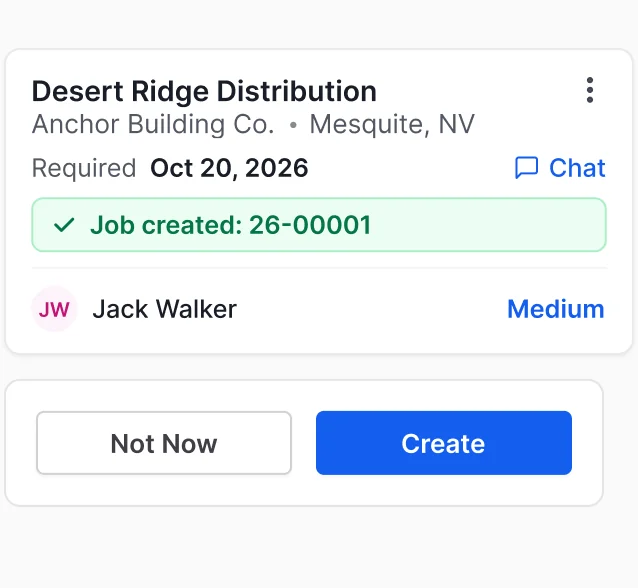
Won becomes a job.

The job starts with the same records. Nothing re-entered.

Won bid card for Desert Ridge Distribution showing “Job created: 26-00001”, above a Create New Job prompt

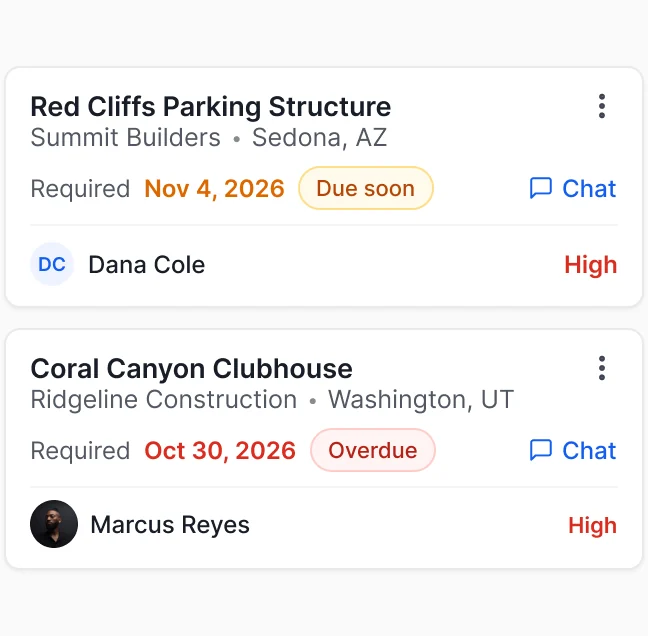
Nothing slips.

Due soon and overdue bids are flagged right on the board.

Two bid cards flagged “Due soon” and “Overdue”

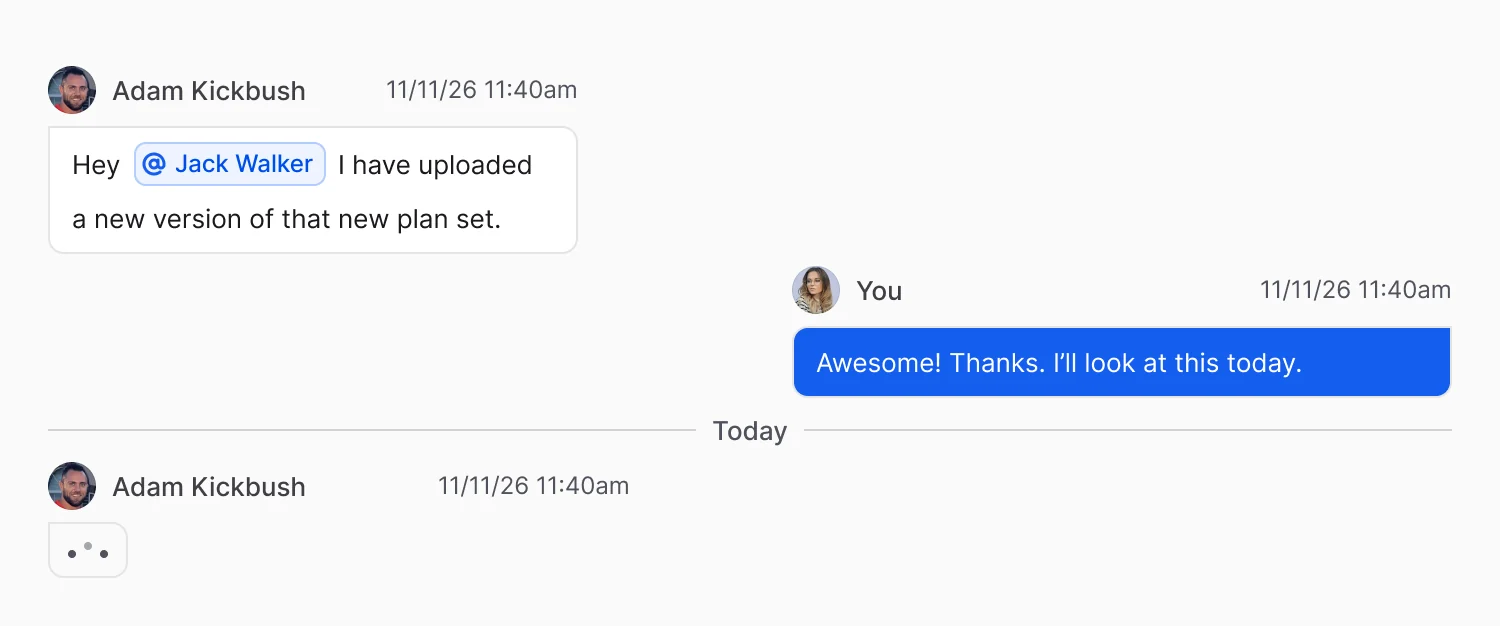
Chat with your team, directly from the board.

Set your filters, save them as a view, and give it a name. It lives in your View menu, one click away.

Bid chat thread where a teammate mentions Jack Walker about a new plan set and gets a reply

Configure in admin

Your business.
Your board.

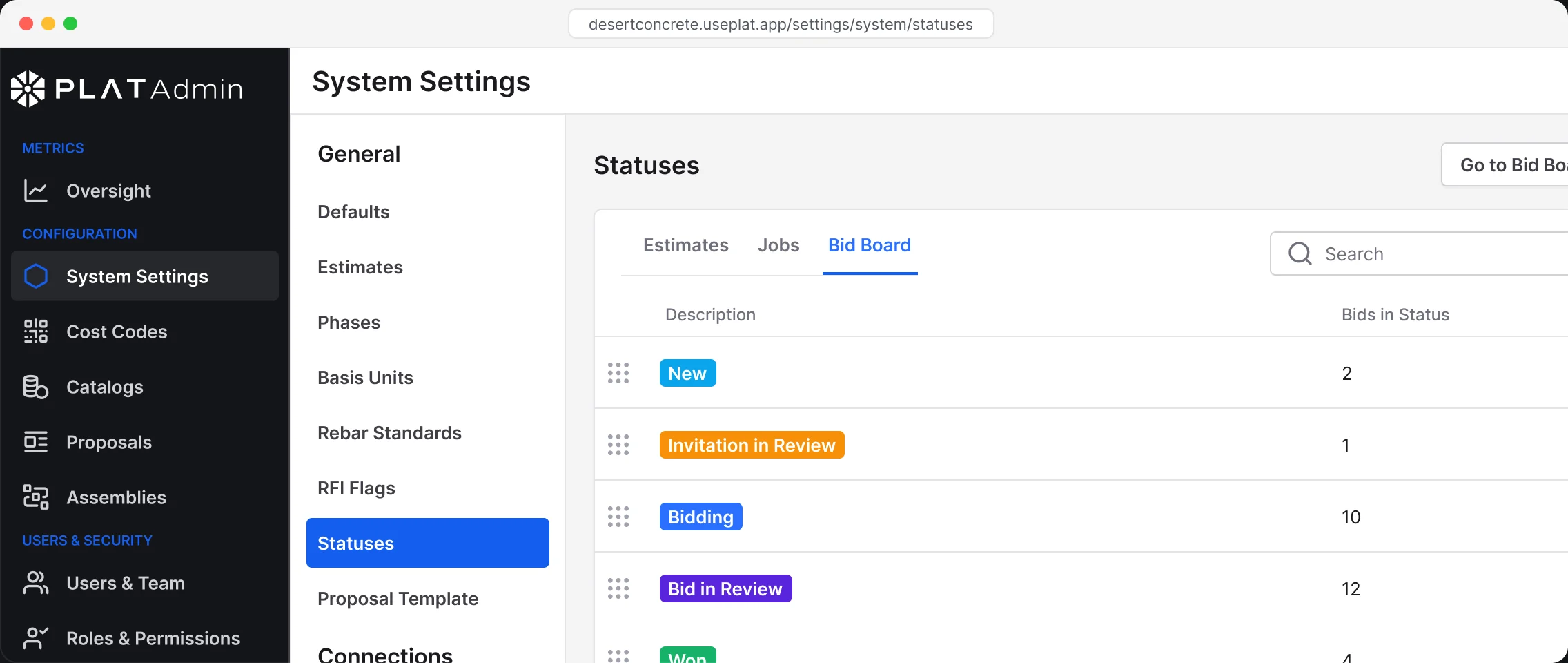
Make the bid board fit your system, or start with ours. Add, rename, recolor and reorder stages, or reset to the PLAT default any time.

PLAT Admin System Settings, Statuses tab for Bid Board: New, Invitation in Review, Bidding and Bid in Review with bid counts
Add

Add a stage

Match the board to the way your team actually bids.

Rename

Rename and recolor

Call each stage what your crew calls it.

Reorder

Drag to reorder

Put the stages in your order with a drag.

Outcomes

Outcomes built in

Won starts job setup. Lost counts toward win rate.

FAQ

Questions, answered.

Straight answers about Bid Board. Anything else, we will walk you through it on a call.

Mark it Won and PLAT creates the job from it, with the same plans, numbers and GC. Nothing gets typed twice.